
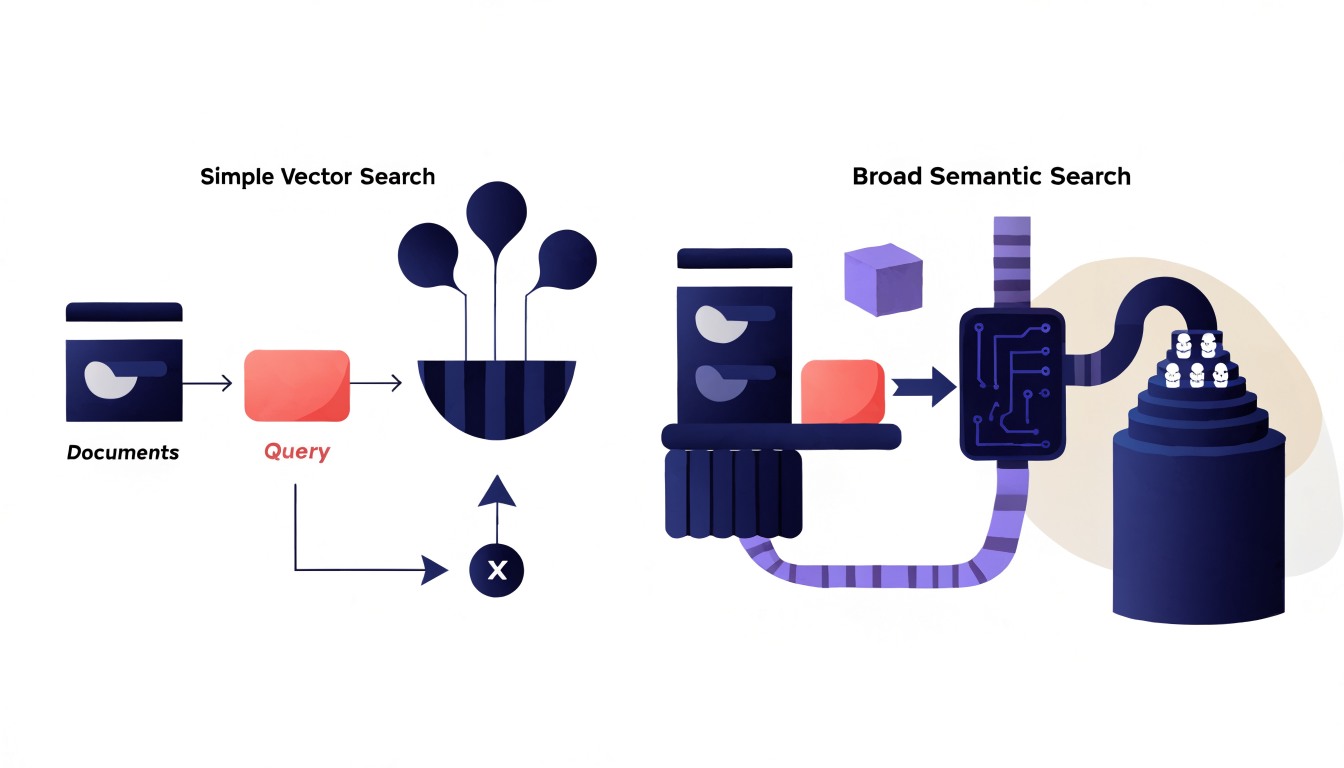
If you've been building search features recently, you've probably noticed the terms semantic search and vector search used interchangeably — in product landing pages, documentation, and conference talks. They're related, but they are not the same thing, and the distinction matters when you're deciding what to build. Vector search is a retrieval technique: it finds documents whose embeddings are mathematically close to a query embedding. Semantic search is the broader goal: returning results that match the meaning of a query, using whatever combination of techniques achieves that. Understanding the difference between semantic search and vector search helps you choose the right architecture instead of bolting on an embedding model and hoping for the best. This article breaks down how each approach works, where they diverge, and which one fits your use case.
What Vector Search Actually Is
Vector search (often called similarity search or ANN search) is a specific retrieval mechanism. You convert text — or images, audio, code — into dense numeric vectors called embeddings, then compare those vectors using a distance metric such as cosine similarity, dot product, or Euclidean distance. Documents whose vectors are closest to the query vector are returned as results.
The pipeline looks like this:
- Choose an embedding model (for example, one from the sentence-transformers family or an API-based model from a provider like OpenAI).
- Embed all your documents and store the vectors in a vector database such as pgvector, Qdrant, Weaviate, Milvus, or Pinecone.
- At query time, embed the user's query and run a nearest-neighbor search.
A key implementation detail: at scale, exact nearest-neighbor search becomes expensive, so most vector databases use approximate nearest neighbor (ANN) indexes like HNSW graphs or IVF clustering. These trade a small amount of recall for large gains in speed. That means vector search is inherently probabilistic at scale — it may occasionally miss the true nearest neighbor, which is usually acceptable but worth knowing when debugging relevance issues.
What Semantic Search Actually Is
Semantic search is an outcome, not a single technique. It describes search systems that understand intent and meaning rather than matching literal keywords. A query for "how do I stop my app from crashing on iOS" should surface documentation about exception handling and crash logs, even if those pages never contain the word "crashing" in the same phrasing.
Vector search is one common way to achieve semantic search, but a production semantic search system typically combines several components:
- Hybrid retrieval, blending vector similarity with traditional keyword search (BM25-style scoring), so exact terms like error codes or function names still match precisely.
- Query understanding, such as normalization, synonym expansion, or intent classification.
- Reranking, where a second-stage model — often a cross-encoder — scores the top candidates against the query for better precision.
- Filtering and business logic, like metadata filters, permissions, and freshness boosts.
In other words: vector search is a tool; semantic search is the system you build with it. A bare vector index alone is rarely enough for good results.
Key Differences That Matter in Practice
The confusion between these terms causes real architectural mistakes. Here are the differences that actually affect your decisions:
Scope. Vector search answers one question: "which embeddings are closest to this one?" Semantic search answers a bigger question: "what does the user mean, and what's the best set of results we can return?" If you ship only the former and call it the latter, users will notice — especially on queries containing exact identifiers.
Precision on exact terms. Dense embeddings are famously weak at exact matches: product SKUs, API names, legal citation numbers, error strings. A query for ERR_CONN_RESET can drift toward semantically "similar" but wrong documents. This is the strongest argument for hybrid search — combining lexical and vector retrieval and merging results with a technique like Reciprocal Rank Fusion (RRF).
Freshness and vocabulary drift. Embedding models are trained on a snapshot of language. Brand-new jargon, product names, or slang may embed poorly until models catch up. Keyword matching doesn't have this problem, which is why mature semantic search systems almost never rely on vectors exclusively.
Cost and complexity. Vector search adds an embedding model, a vector store, and an embedding pipeline to maintain (re-embedding when documents change or when you switch models — embeddings from different models are not compatible). Semantic search layers more components on top. The payoff is relevance; the cost is operational surface area.
When Each Approach Is the Right Fit
Choosing between a minimal vector search setup and a fuller semantic search stack comes down to your data and query patterns:
Vector search alone works well when:
- Your corpus is natural-language text with consistent vocabulary (support articles, blog posts, internal docs).
- Queries are conversational or paraphrase-heavy ("how do I reset my password" vs. "account credential recovery").
- Exact-identifier matching isn't critical, or you handle it elsewhere in the pipeline.
You need a fuller semantic search stack when:
- Users search for exact codes, names, or IDs alongside fuzzy natural-language queries.
- Relevance quality directly drives business outcomes (e-commerce, legal, enterprise knowledge bases).
- You have filters, permissions, or freshness requirements that pure similarity can't express.
A minimal hybrid implementation is less work than it sounds, especially if your database already supports both search modes. For example, PostgreSQL with pgvector lets you combine full-text search and vector similarity in one query:
SELECT id, title,
  ts_rank(to_tsvector('english', body), query) AS lexical_score,
  1 - (embedding <=> $1) AS semantic_score
FROM documents, plainto_tsquery('english', $2) query
WHERE to_tsvector('english', body) @@ query
   OR embedding <=> $1 < 0.5
ORDER BY (0.4 * ts_rank(to_tsvector('english', body), query)
        + 0.6 * (1 - (embedding <=> $1))) DESC
LIMIT 10;
This is illustrative rather than a tuned production query — the weights, distance operator (<=> for cosine distance in pgvector), and filtering strategy should be adjusted to your data — but it demonstrates the core idea: run both retrieval modes, score both ways, and combine. Many teams start with something like this and add a reranking step later.
Common Mistakes When Adding Vector Search
Developers new to embeddings tend to hit the same failure modes. Avoiding these will save you weeks:
- Mixing models. Embeddings from different models live in different vector spaces. If you embed documents with model A and queries with model B (or upgrade one side without the other), similarity scores are meaningless. Store the model identifier with your vectors and plan a full re-embed when you change models.
- Embedding the wrong text. Chunking strategy matters enormously. Embedding entire long documents dilutes meaning; tiny chunks lose context. A common starting point is chunking by paragraphs or sections with slight overlap, then iterating based on real queries.
- Ignoring normalization and metadata filters. Vector similarity finds globally similar documents. If a user filtered to one product line or one team's docs, those constraints must be applied alongside the vector query — most vector databases support metadata filtering natively.
- Skipping evaluation. Relevance is empirical. Build a small set of representative queries with expected results, and measure before and after every change — model swaps, chunking tweaks, rerankers. Without this, you're tuning blind.
- Assuming embeddings fix bad content. If your documents are poorly written, duplicated, or stale, no retrieval technique will rescue them. Retrieval quality is bounded by corpus quality.
Practical Recommendations
For most web developers adding search to an application in 2025, the pragmatic path looks like this:
- Start with hybrid search, not pure vector search. Combine full-text search with embeddings from day one. It covers exact-match queries and semantic paraphrases, and libraries like LanceDB, Qdrant, and pgvector all support this pattern.
- Pick an embedding model and stick with it until you have evidence a change is worth a full re-embed. Dimensionality, cost, and language coverage matter more than tiny benchmark differences.
- Add a reranker when precision matters. A cross-encoder reranking the top 50 candidates is often the highest-leverage quality improvement you can make after hybrid retrieval.
- Evaluate continuously. Even a handful of labeled queries gives you a regression signal.
And if someone asks whether you built "vector search" or "semantic search," the honest answer for most real systems is: you built semantic search using vector search as one component — plus keyword matching, filters, and reranking.
Frequently Asked Questions
No. Vector search is a specific retrieval technique based on comparing embeddings, while semantic search is the broader goal of matching user intent and meaning. Vector search is commonly used as a component inside semantic search systems, but semantic search usually also involves keyword matching, filtering, and reranking.
Not necessarily. If you already run PostgreSQL, the pgvector extension lets you store and search embeddings without new infrastructure. Dedicated vector databases like Qdrant, Weaviate, Milvus, or Pinecone offer advantages at very large scale or for advanced features, but many applications with tens of thousands to a few million vectors run fine on an existing database.
Embedding models capture approximate meaning, not literal strings. An error code like `ERR_CONN_RESET` may embed near other networking content rather than the exact document containing that code. Hybrid search that combines vector similarity with keyword matching solves this, which is why most production systems use both.
Hybrid search runs lexical (keyword) search and vector search in parallel, then merges and scores the combined results, often using a technique like Reciprocal Rank Fusion. It gives you the precision of keyword matching plus the paraphrase tolerance of embeddings, and it’s the recommended default for most semantic search implementations.
Yes. Embeddings from different models occupy incompatible vector spaces, so mixing vectors from two models produces meaningless similarity scores. When you change embedding models, you must re-embed your entire corpus — and your queries — with the new model. Storing the model identifier alongside your vectors makes this migration manageable.
Conclusion
The semantic search versus vector search distinction is simple once you see it: vector search is the retrieval mechanism, semantic search is the system-level goal. Vector search gives you meaning-based retrieval through embeddings, but on its own it struggles with exact terms, ignores filters and freshness, and depends heavily on embedding and chunking choices. Real-world semantic search combines vector retrieval with keyword matching, metadata filtering, and reranking to handle the full range of user queries. Your next step: take five to ten real queries from your product, run them against a simple hybrid setup — full-text search plus embeddings in your existing database — and see where results break down. That evaluation will tell you exactly which components your search stack actually needs.
Transparency Note: Links in this article are not affiliate links. I recommend these tools and platforms based on their relevance to the topic, and no compensation is received for including them.